Where to Place the Best Self-Emptying Robot Vacuum Base for Reliable Docking
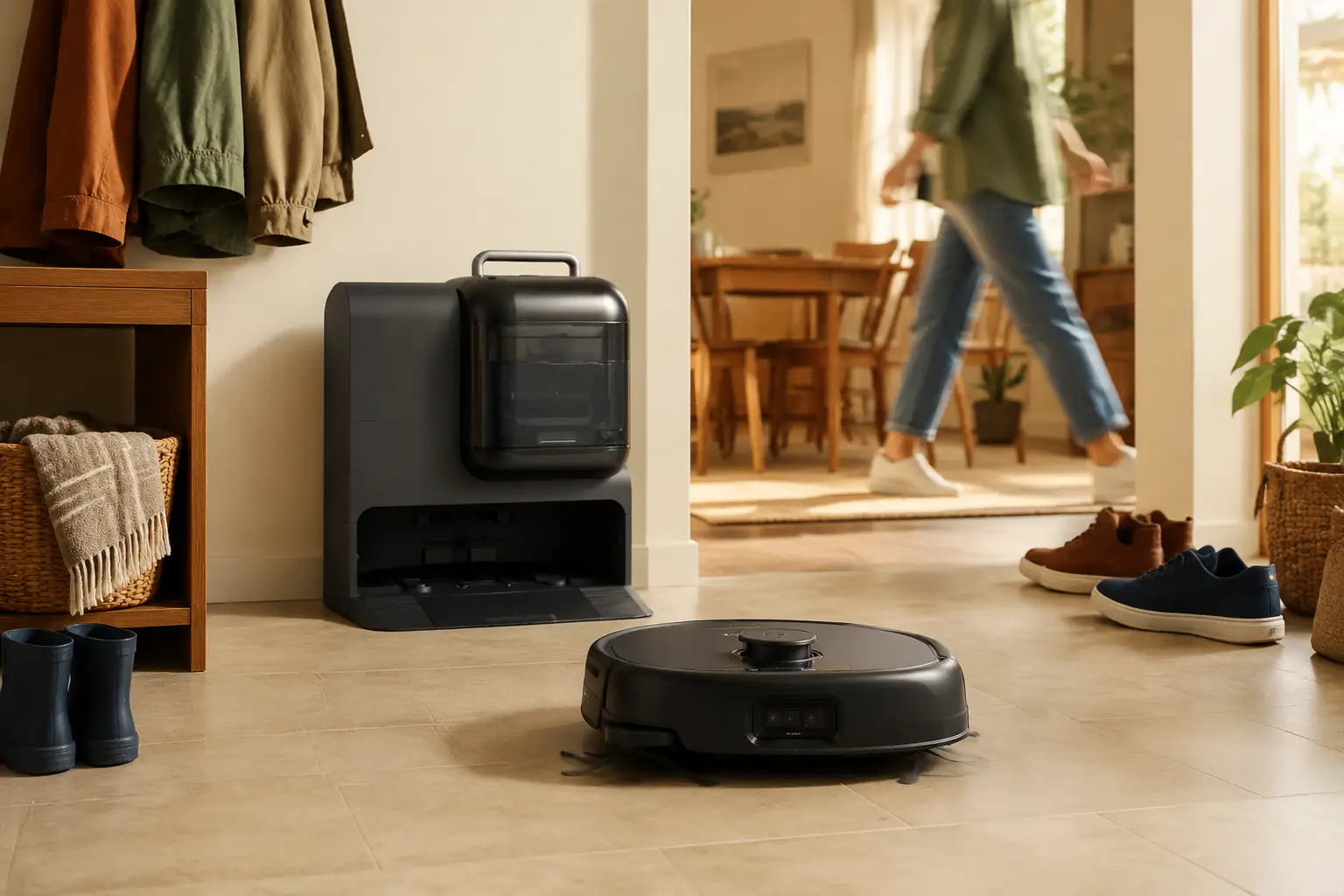
Many homes buy the best self-emptying robot vacuum after comparing specs, then still watch it tap the station, back out, and die in the hall. The problem is often where the base sits, not the robot itself. Clearance, flooring, glare, or a cramped approach can make a good dock look unreliable. This guide covers dock approach space, flat floors, sensor clutter, noise and tank access, map stability, a placement checklist, and when a larger station fits.
Table of Contents
- Give the Dock Clear Space and a Straight Approach
- Choose a Flat Floor That Does Not Shift Under the Base
- Avoid Sunlight Reflections and Visual Clutter Near the Dock
- Place the Base Where Noise and Tank Access Make Sense
- Keep the Base Fixed After Mapping the Home
- Matching Station Size to Your Layout
- Conclusion
Give the Dock Clear Space and a Straight Approach
Every route begins and ends at the dock, so setup starts with how the machine comes home. Charging is only part of the job. On return, the vacuum still has to slow down, line up, and seat its contacts without clipping a table leg or sliding in from a sharp angle.
Open space on both sides helps more than people expect. Many layouts work with roughly 1.5 to 2 feet on the left and right, especially around larger auto-empty or self-cleaning stations. A chair leg, basket, trash can, or plant stand may not block the dock fully, but it can still push the robot into an off-center approach. The front matters even more. Leave about 3 to 4 feet clear ahead of the station. A tidy hall corner or utility closet can look neat on day one and feel cramped once the robot needs room to correct its path.
Pick an outlet close enough that the cord can lie flat along the wall. A loose loop beside the dock can get caught by a side brush. If the cord has to cross open floor to reach power, that wall probably is not the right home for the base.
Choose a Flat Floor That Does Not Shift Under the Base
An auto-empty dock works best on a flat hard floor. Hardwood, tile, sealed stone, laminate, or vinyl plank gives the station a steady footprint and gives the wheels predictable grip on approach.
Carpet is where things get inconsistent. Thick pile can let the dock settle or tilt slightly over time, especially once dust, clean water, dirty water, or internal mechanisms add weight. A small tilt is enough to change how the charging contacts meet.
Floor type, approach path, nearby clutter, and maintenance access decide whether a wall keeps working after the first month.
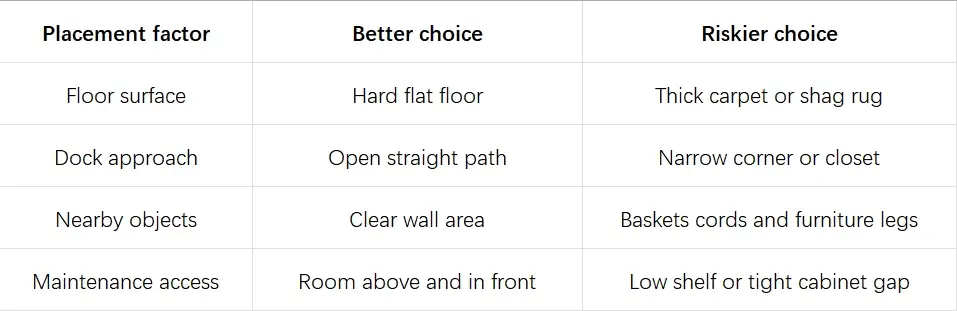
When both surfaces are an option, hard flooring tends to keep the dock steadier than carpet. If a hard floor spot sits closer to the middle of the cleaning route than a carpeted corner, use the hard spot first and treat the corner as a backup. Raised thresholds, transition strips, and uneven doorway lips should sit away from the dock. A small bump can throw off the angle just as the robot is about to connect. Loose rugs in front of the base are another common problem. A light mat can bunch when the robot backs or turns. If the rug stays in the room, keep the station on hard flooring and let the robot dock without climbing fabric on the final approach.
Avoid Sunlight Reflections and Visual Clutter Near the Dock
Docking depends on what the robot reads during those last few feet. Cameras, laser turrets, and floor sensors all track the approach lane on the way in, so glare and clutter near the dock can cause missed returns even when the wall looked fine on setup day.
- Moving sun can make the same wall reliable in the morning and unreliable in the afternoon when a window beam crosses the approach path.
- Reflective surfaces such as gloss tile, glass doors, mirror fronts, and metal bins belong a step back from the station if docking is inconsistent.
- When the robot taps and backs out, check the lane for a shiny bin or cabinet face before assuming the unit is faulty.
- Daily clutter like shoes, pet bowls, umbrellas, backpacks, and storage bins moves every day. Keep it off the approach path even when the saved map still shows a clear lane.
- Dark thresholds and glossy strips at doorways can read differently depending on the angle. Check those edges if the robot hesitates right before contact.
Run the same wall test twice in one day, once in the morning light and once near late afternoon. If docking improves after you shift a mirror, close a glass door, or move a shoe rack back a few inches, the lane was the issue, not the hardware.
Place the Base Where Noise and Tank Access Make Sense
Most of the day, a self-emptying robot vacuum base is quiet. Then the auto-empty cycle runs for a short burst while debris moves into the station bag. A short burst can still be disruptive near a nursery, bedroom, meeting corner, or reading chair.
Hallways, laundry rooms, mudrooms, open living areas, and kitchen edges usually handle that burst better than bedrooms, nurseries, or small offices. If you run night schedules, pick a wall where a late-night empty cycle is less likely to wake someone.
Self-cleaning mop stations need more front access than a simple charging dock. Clean and dirty tanks should lift out without scraping a shelf lip or cabinet face, and bags, filters, and dirty water ports still need regular care. Auto emptying cuts daily dumping, not every maintenance task.
Station footprints vary a lot. A compact auto-empty dock fits some apartments, while a full all-in-one unit needs more front access for tanks and bags. If you are still comparing layouts for this wall, the eufy robot vacuums list dock depth and width alongside suction and cleaning modes.
Keep the Base Fixed After Mapping the Home
After the first map, the station becomes the anchor for that layout. Slide the dock six inches, and the saved rooms may no longer line up with the real walls.
The robot builds its understanding of the home from the point where it first left the dock. Room labels, no-go zones, carpet zones, and schedules all assume that the anchor stays put. A forced move after furniture changes should be treated like a fresh setup. Park the dock where it can stay, clear the floor, run a new map if needed, then recheck boundaries before trusting old schedules. Major furniture moves, new rug layouts, and moves to another room are the usual triggers. Multi-floor homes work best with one main station floor unless the model and app support separate maps cleanly. The dock should stay where the robot actually returns to charge and empty.
Once that anchor is set, changing station size means a new setup cycle. Browsing the eufy self-emptying & self-cleaning robot vacuum models before the first map helps match dock depth to a wall you can keep long term.
Matching Station Size to Your Layout
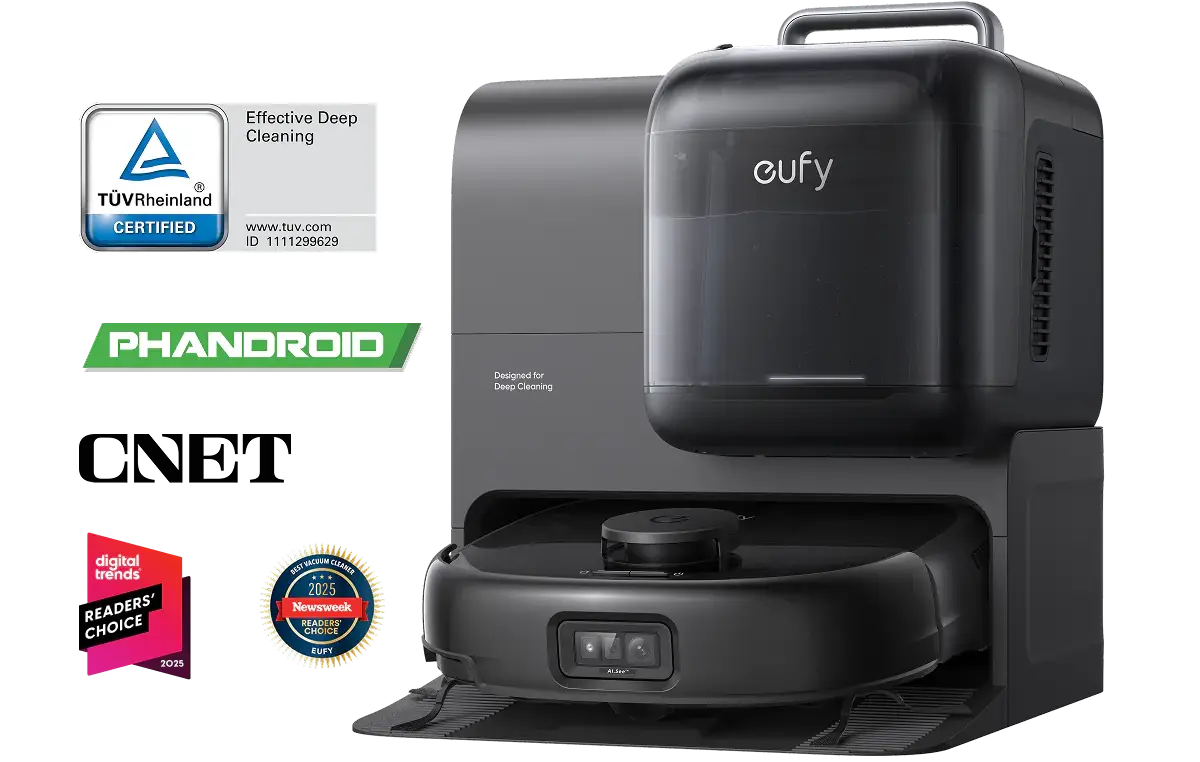
A setup photo can make a corner look perfect before chairs, shoes, and bags move back into place. A dock behind a chair may work the first night and miss every run after someone slides the chair back.
Pet hair, carpet, stairs, and hard floors in one home sometimes justify a larger station and the floor space that comes with it, as with the eufy Robot Vacuum Omni E28. Its all-in-one station handles self-emptying, self-washing, hot air drying, self-refilling, wastewater collection, and automatic detergent dispensing at the same fixed spot, so the bags and tanks you planned around stay on one mapped wall. During cleaning, the HydroJet™ Self-Cleaning Roller Mop cleans itself in real time, which helps hard floor washing stay consistent between returns to the station. On mixed routes, 20,000 Pa turbo suction and DuoSpiral™ Detangle Brushes help pull pet hair from carpet and guide longer strands toward the bin before they wrap around the brush. FlexiOne is integrated into the Omni station as a detachable portable deep cleaner for stairs, carpets, and fabric surfaces the robot cannot drive across.
Conclusion
Docking problems often trace back to a wall that looked fine on unboxing day. Hard flat flooring, a clear front runway, side space, cords and rugs kept back, steady light, and reachable bags or tanks matter more than hiding the station. After mapping, move the dock only when you are ready to refresh the map. Get those basics right, and a self-emptying robot vacuum can leave, clean, return, empty, and charge without docking becoming one more chore on the list.